Assign Numbers in Webex Control Hub
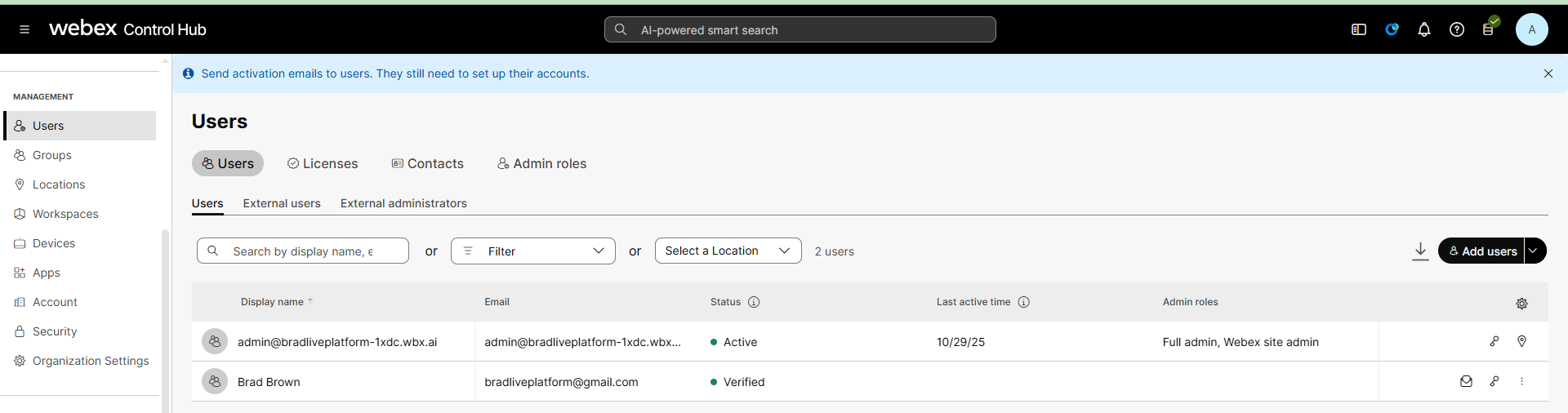
Numbers that have been uploaded to a location either manually (Non-Integrated mode) in Webex Control Hub or synchronized (Integrated mode) from Live Platform can be assigned to users in a configured location. Once the number is assigned, its counted on Live Platform as a 'Used DID'.
| ➢ | Do the following: |
| 1. | In the Webex Control Hub, in the Navigation pane, select Users. |
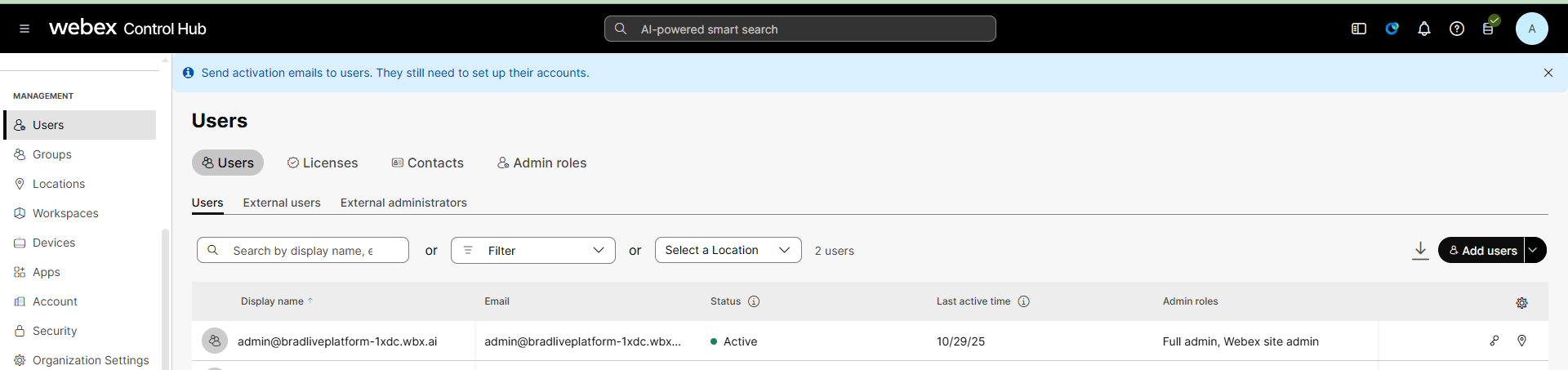
| 2. | From the Add users drop-down, click Add users to add a new Calling user or modify an existing user. |
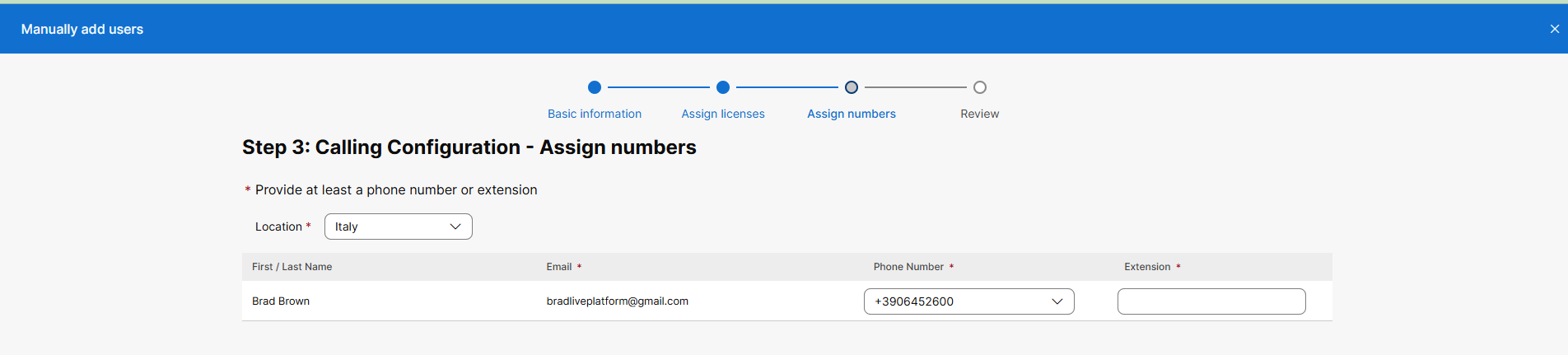
| 3. | From the Location drop-down list, choose the relevant location. |
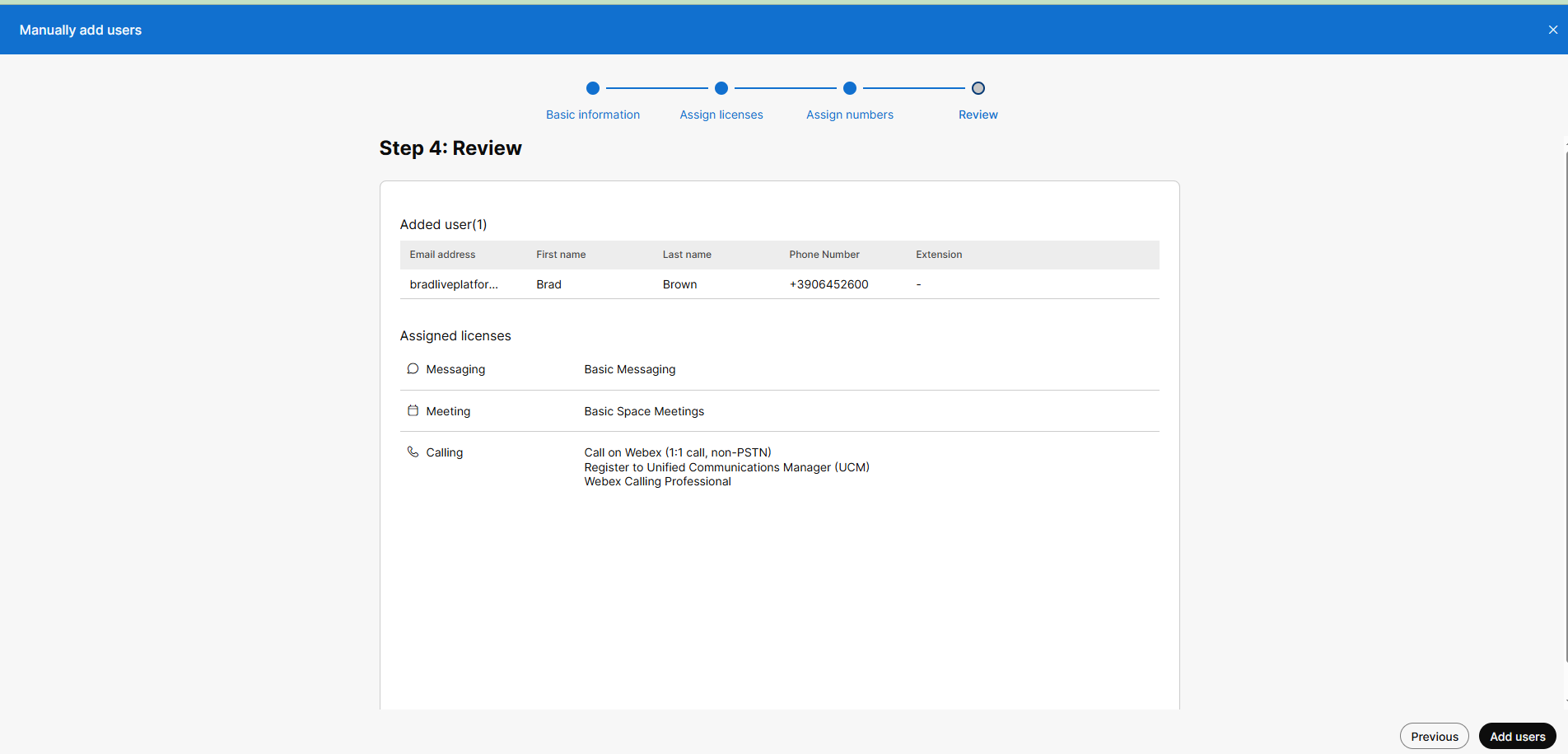
| 4. | From the Phone Number drop-down list, choose one the numbers configured for the location. |
For further details, refer to the Webex Control Hub documentation.